Inspect any site's host in one click.
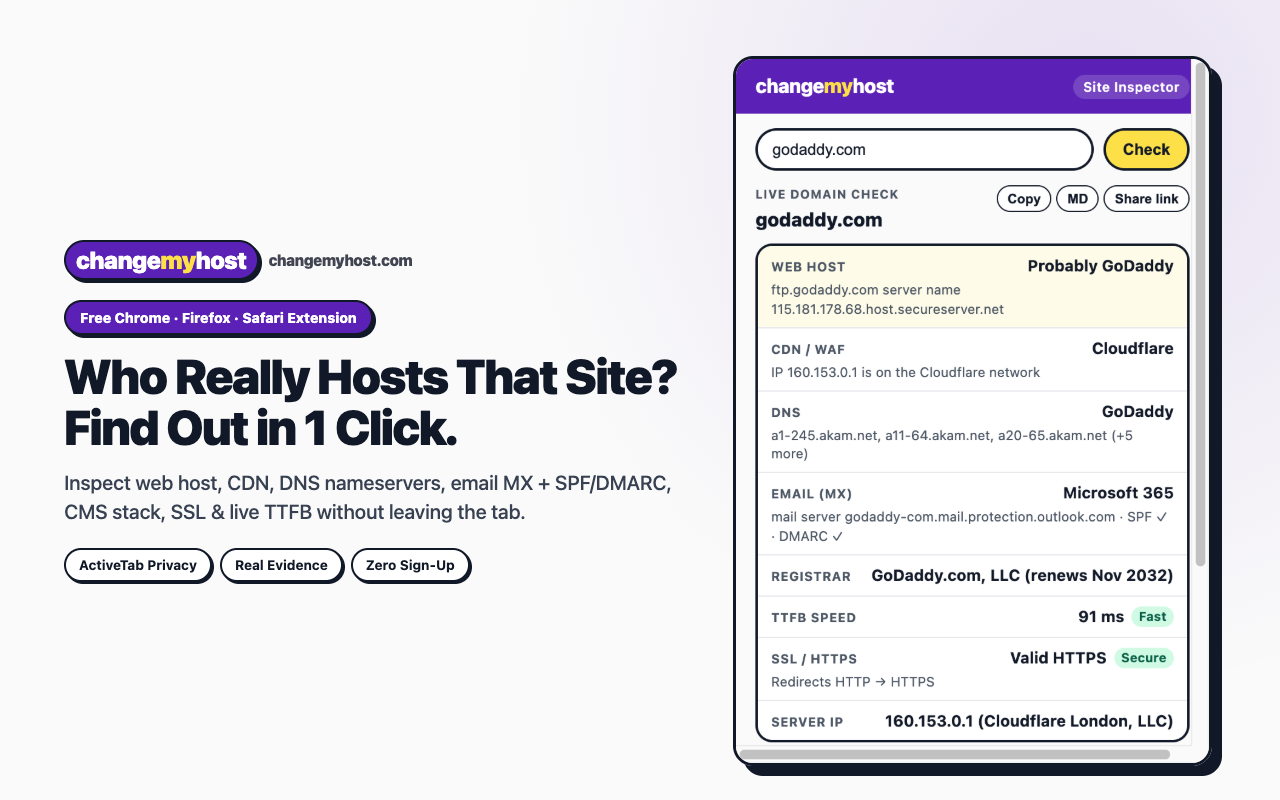
Check who hosts any open tab, where its DNS and email MX records live, what it's built with, and how fast the server answers—free, with zero tracking.

See it in action
22-second walkthrough — no account needed
What it inspects in one click
Web host & CDN
Spots the real hosting provider from headers, reverse DNS, and IP ownership—and tells you when Cloudflare masks the origin.
CMS & tech stack
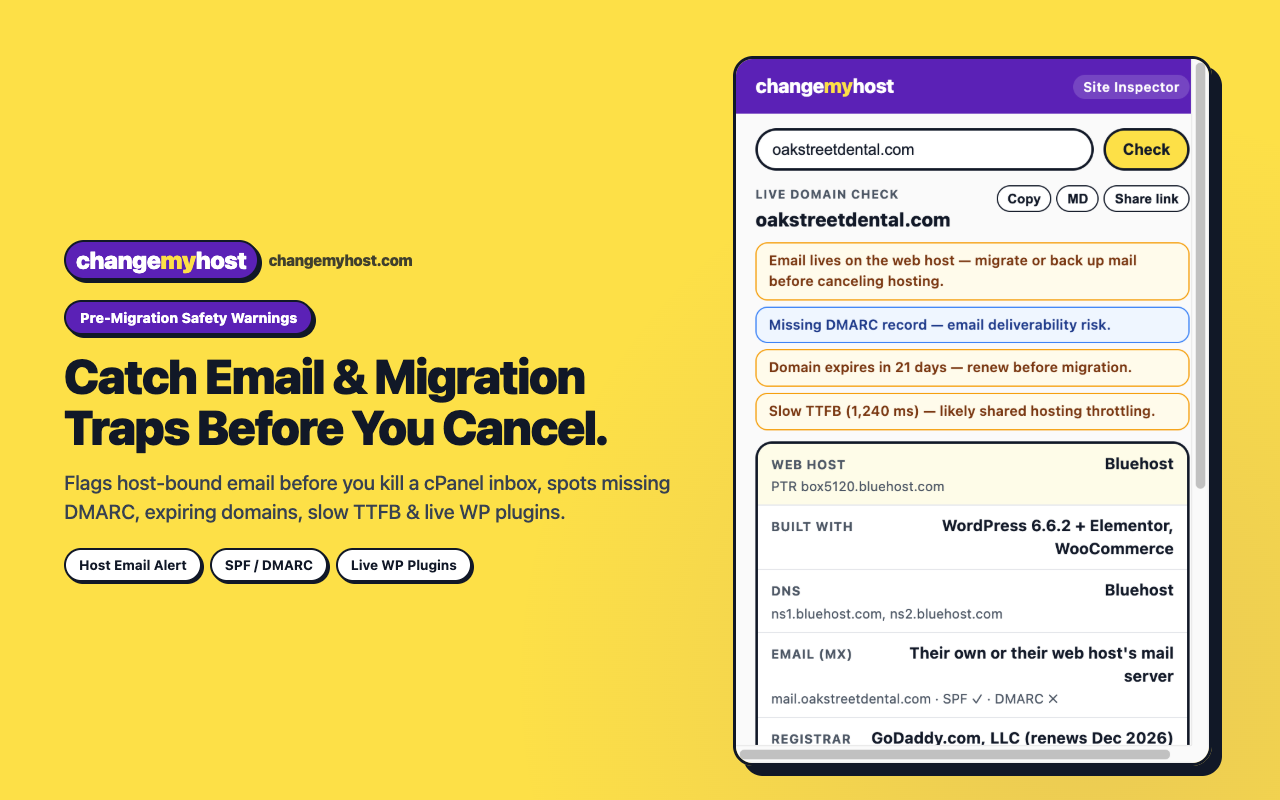
Identifies WordPress, WooCommerce, Shopify, Next.js, Wix, Squarespace, and Webflow straight from the page.
DNS & registrar
Shows nameservers, who manages DNS, domain registrar, and domain renewal date before you change anything.
Email (MX) safety
Checks whether email runs on Google Workspace, Microsoft 365, cPanel, or Cloudflare so moves never break your inbox.
Live TTFB & SSL
Measures server response speed in milliseconds and checks HTTPS status on every inspect.
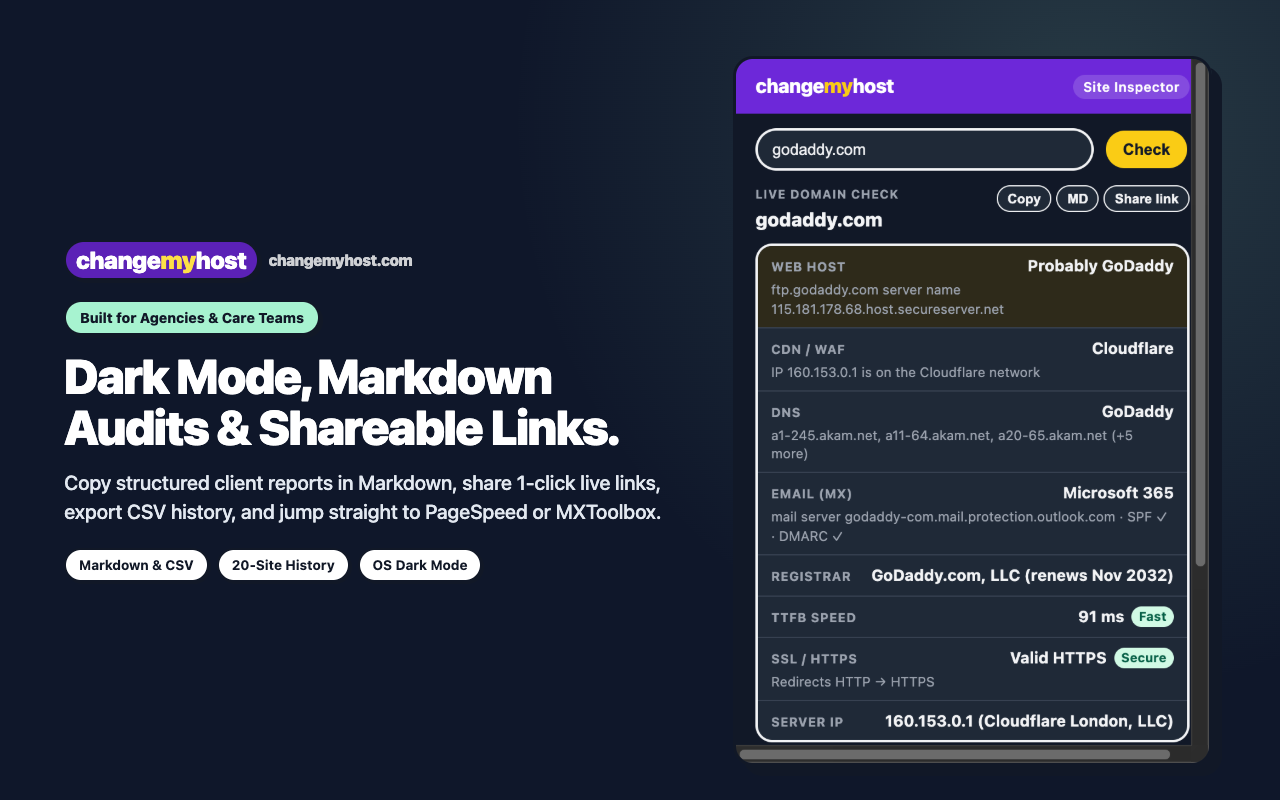
One-click Copy
Copies a clean plain-text audit report to your clipboard for client proposals or host migrations.
Built for privacy & minimal permissions
Most site-checker extensions ask to read and change all your data on every website. Ours asks only for activeTab—meaning it stays completely idle until you click the toolbar icon, then sends just that domain to our public lookup endpoint. Nothing is logged or sold.
Extension questions
Which browsers does the extension support?
It installs on Google Chrome, Microsoft Edge (via Chrome Web Store), and Mozilla Firefox. Both Chrome and Firefox submissions are currently in store review, and you can run the exact same check on the web right now.
Does the extension track my browsing history?
No. It uses only the minimal activeTab permission—it never runs in the background and only reads the active tab's domain when you click the toolbar icon.
Can it detect who hosts a site behind Cloudflare?
When Cloudflare proxies traffic, public DNS points to Cloudflare IPs. The extension checks origin leaks and headers, and clearly tells you when Cloudflare hides the server instead of guessing.
Is the extension free?
Yes, 100% free with no account or sign-up required.
Other free tools
- Who hosts my website?
Host, DNS, registrar and email behind any site.
- What is my IP?
Your public IP, provider and country. Nothing is stored.
- DNS lookup
Nameservers, and who you log into to change DNS.
- MX lookup
Which service actually receives a domain's email.
- What is it built with?
WordPress, Shopify, Wix and the rest, read from the page.
- Website speed test
Live server response time (TTFB), HTTPS status and host behind any site.
- SSL checker
Check if HTTPS is on, plus your CDN, host and domain registrar.
- Hosting cost calculator
Compare your current hosting renewal + fixes against managed care.
Stop babysitting your server.
Drop your website and email. You'll get a quote within one business day, plus a moving plan if you're switching.
Rather talk to a person?
Ready to move now? Skip the quote and subscribe directly from $39/site/mo →